
Scheduler: Productivity Timer2.6.0 - Google Play
You'll be able to see results in few seconds.
Publisher Description
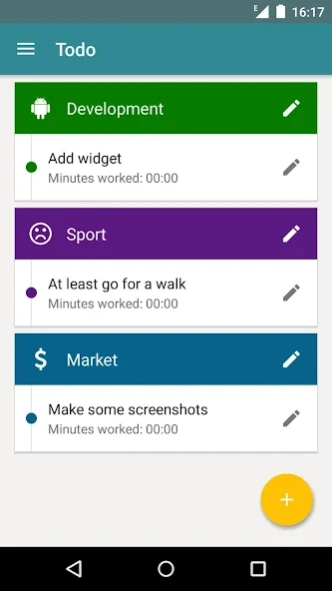
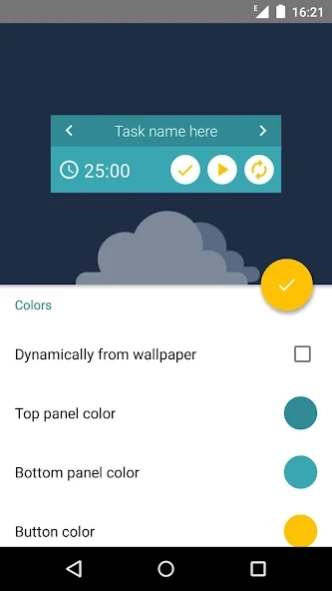
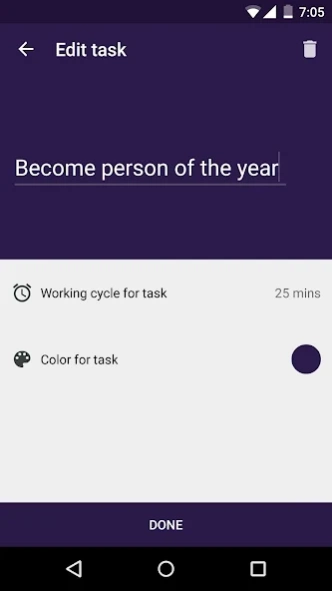
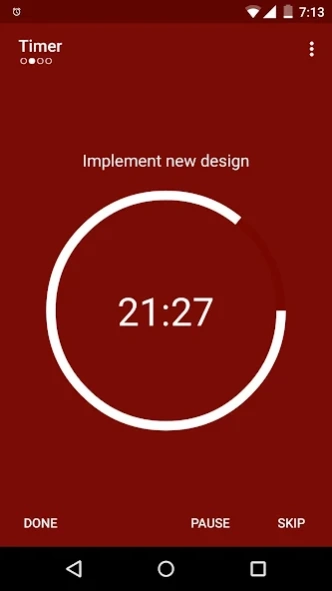
Powerful, flexible and easy-to-use productivity-boosting task scheduler.
Searching for a tool that can help organize your workflow? Scheduler: Productivity Timer will do this for you!
App uses a timer to break down work into intervals (by default 25 minutes in length), separated by short breaks. which helps to improve concentration and prevents exhaustion. App also gives you possibility to organize your workplan and manage tasks.
Here is why you should download this app. Scheduler provides:
-NO ADS!
-You can donate to support application and get access to customizable app widget!
-Easy-to-use intuitive interface.
-List of tasks you need to do. You can add, delete, assign colors and default work time to them, reorganize order of tasks (long click to do this), splite them into categories.
-Setting workflow: set how long you will work on task, how long will be the rest, how many worksessions it will take you to reach long break interval and finally how long this interval will be.
-Convenient action menu in notification: you can stop timer, restart it, skip current interval or mark current task done and proceed to the next one.
-Fully customizable design (choose any color you want in settings).
-Different sound signals for work- and rest-period start notification.
-Statistics of how long have you been working on each task + complex statistics of your work results.
-List of already accomplished tasks to make you be proud of yourself :)
-Confirmation dialog for new session start.
If you want to make a contribution and translate Scheduler to your language - let me know.
About Scheduler: Productivity Timer
The company that develops Scheduler: Productivity Timer is Yaroslav Shevchuk. The latest version released by its developer is 2.6.0.
To install Scheduler: Productivity Timer on your Android device, just click the green Continue To App button above to start the installation process. The app is listed on our website since 2017-02-25 and was downloaded 0 times. We have already checked if the download link is safe, however for your own protection we recommend that you scan the downloaded app with your antivirus. Your antivirus may detect the Scheduler: Productivity Timer as malware as malware if the download link to com.yarolegovich.scheduler is broken.
How to install Scheduler: Productivity Timer on your Android device:
- Click on the Continue To App button on our website. This will redirect you to Google Play.
- Once the Scheduler: Productivity Timer is shown in the Google Play listing of your Android device, you can start its download and installation. Tap on the Install button located below the search bar and to the right of the app icon.
- A pop-up window with the permissions required by Scheduler: Productivity Timer will be shown. Click on Accept to continue the process.
- Scheduler: Productivity Timer will be downloaded onto your device, displaying a progress. Once the download completes, the installation will start and you'll get a notification after the installation is finished.
Program Details
System requirements
Download information
Pricing
Version History
version 2.6.0
posted on 2017-02-25
2.6
-Redesign
-Fixed bug with sorting categories (long click on category to change its place).
-Warning dialogues (can be disabled in settings).
-Clicking on notification will open timer.
-Timer won't stop if you click on current task.
2.5
-Repeating tasks
-Enhanced statistics
2.4
-Extreme power saving mode (for full version)
-Clear statistics option
-Widget bug fix
-Status bar color fix
version 2.5.0
posted on 2016-07-12
2.5,-Repeating tasks,-Enhanced statistics,2.4,-Extreme power saving mode (for full version),-Clear statistics option,-Widget bug fix,-Status bar color fix,2.3.1,-Widget is now horizontally resizable.,-Widget now works on launchers it previously doesn't work on.
Disclaimer
Official Google Play Link
We do not host Scheduler: Productivity Timer on our servers. We did not scan it for viruses, adware, spyware or other type of malware. This app is hosted by Google and passed their terms and conditions to be listed there. We recommend caution when installing it.
The Google Play link for Scheduler: Productivity Timer is provided to you by apps112.com without any warranties, representations or guarantees of any kind, so access it at your own risk.
If you have questions regarding this particular app contact the publisher directly. For questions about the functionalities of apps112.com contact us.
